HVAC Landlord / Tenant Feature
UX/UI Designer
Deliverable: Hi-fidelity Mockups
Platform: Web App
Tool: Figma
Team: Worked with Development and Product Teams
BACKGROUND
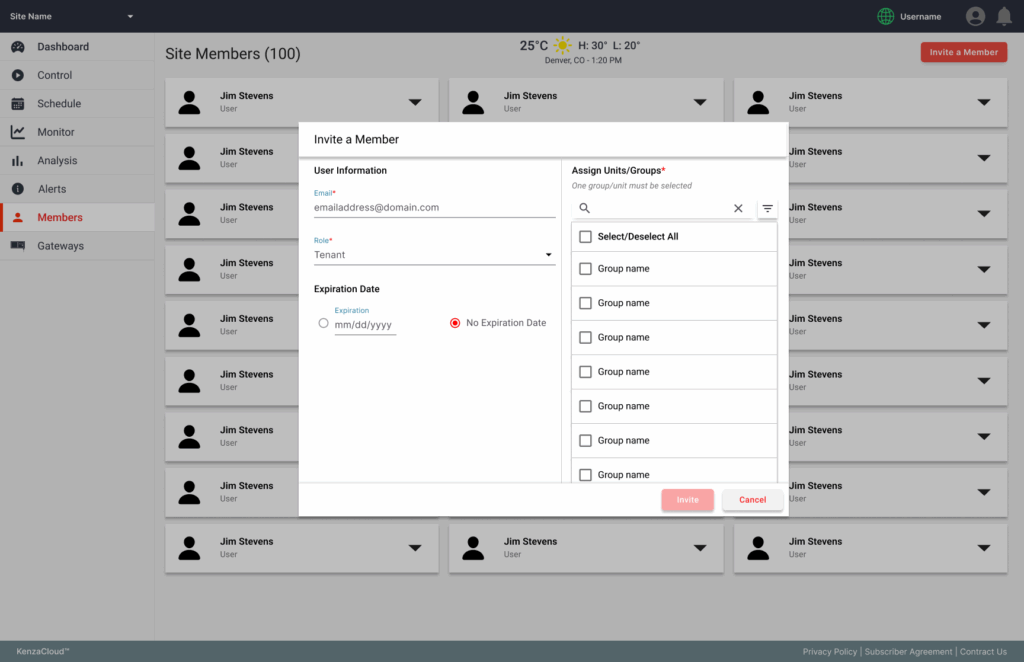
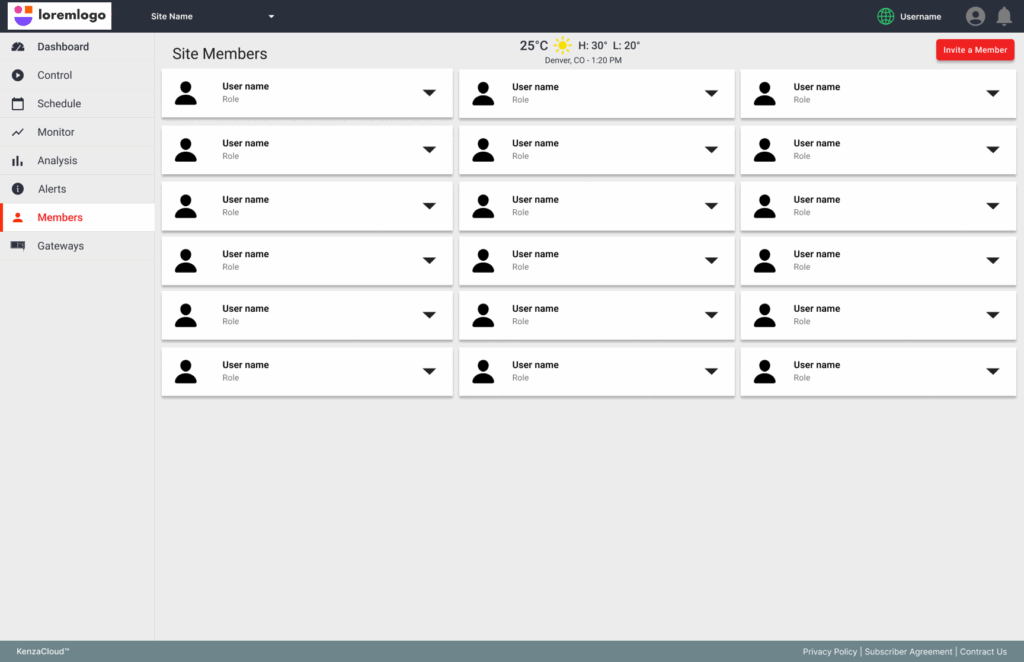
This project was to design and expand upon on existing user management feature for an HVAC web app that controls different units for users, that will add new functions and permissions for users managing properties with tenants. The app uses existing ionic and material design frameworks.
USERS
Owner
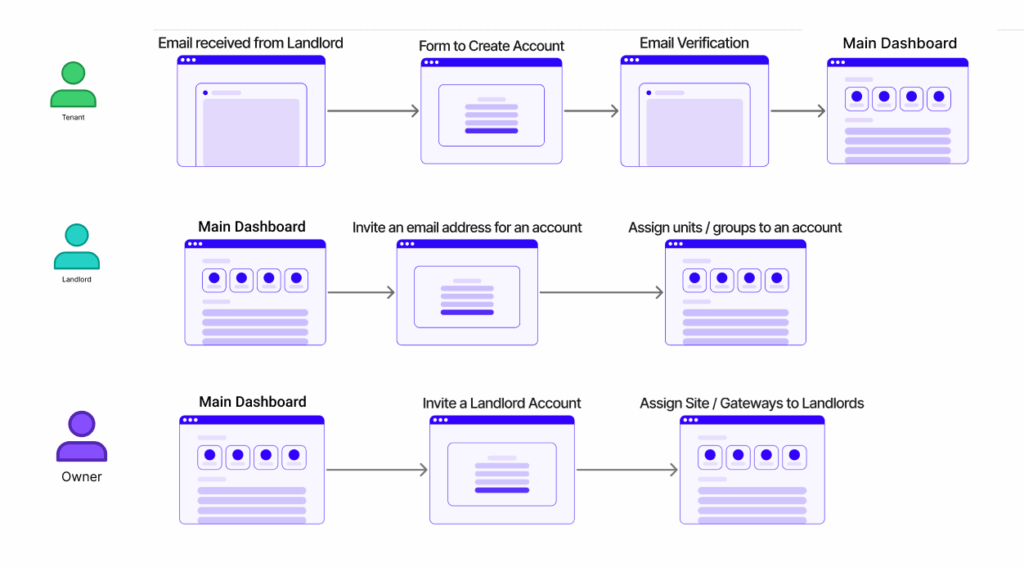
Owner initially adds managers and potentially tenants with each specific level of permissions and functionality in order to assign HVAC units.
Manager
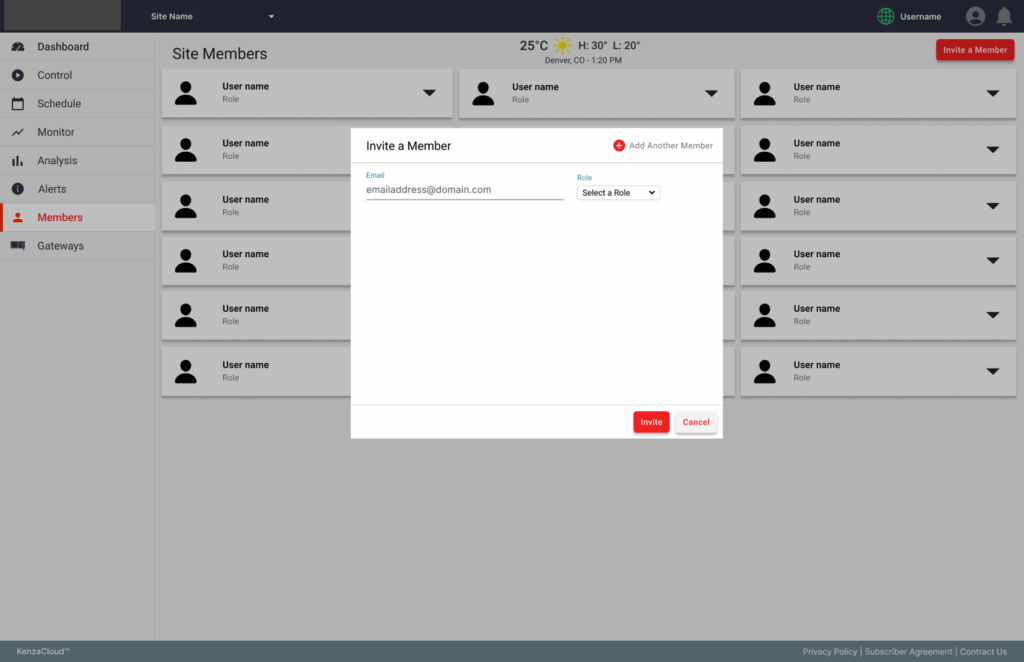
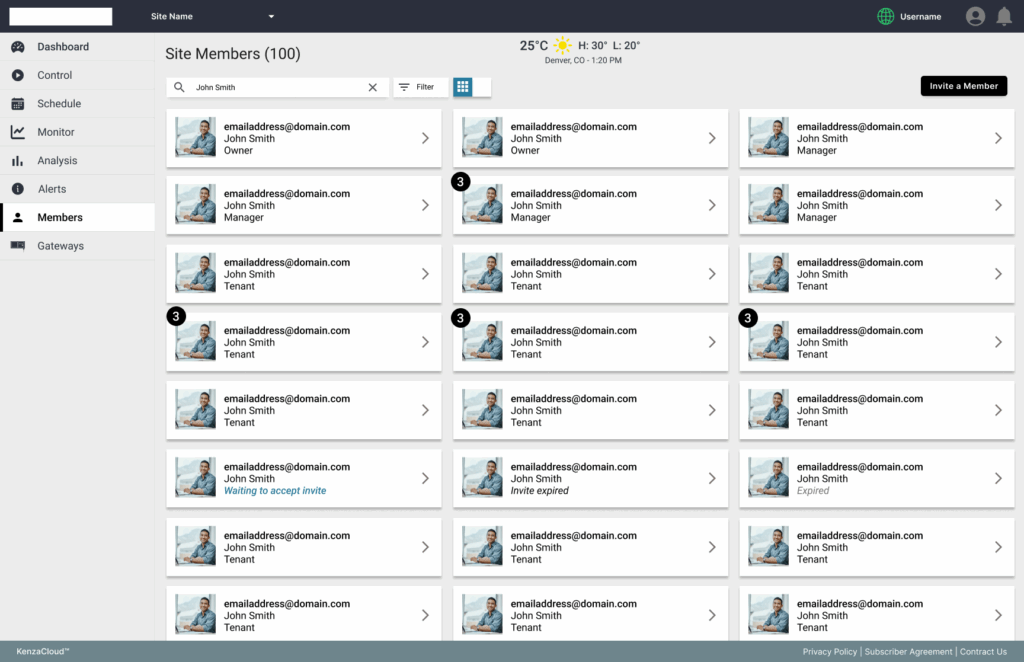
Manger invites the email address of the Tenant to create an account and needs to see if the account was created, what accounts are currently assigned to what HVAC units.
Tenant
A tenant will use this feature to be able to manage the HVAC units they are assigned to and other features of the app.
DISCOVERY & RESEARCH
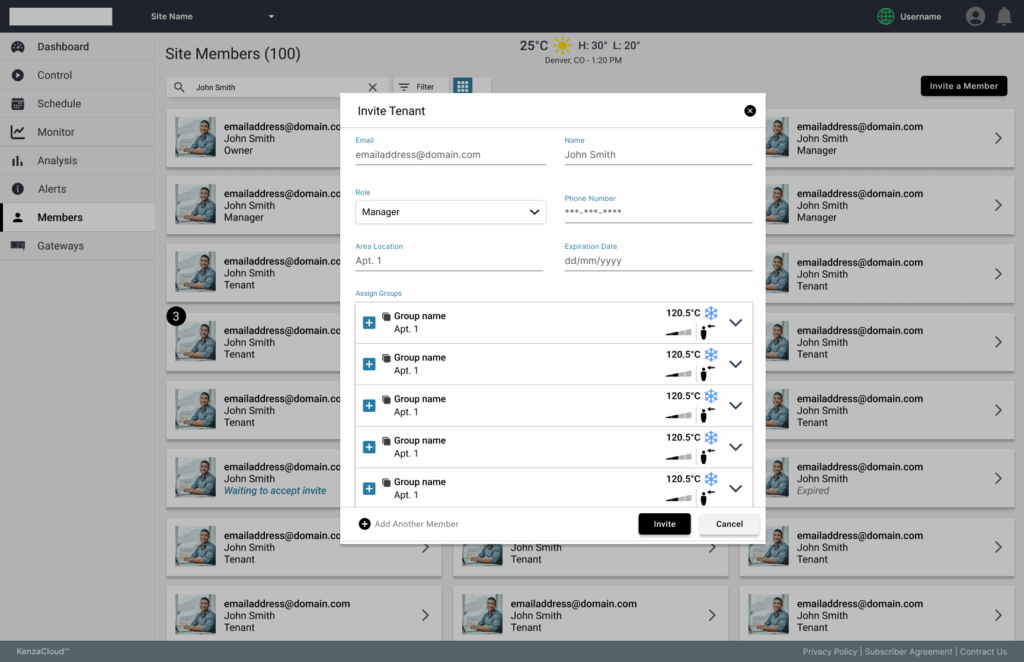
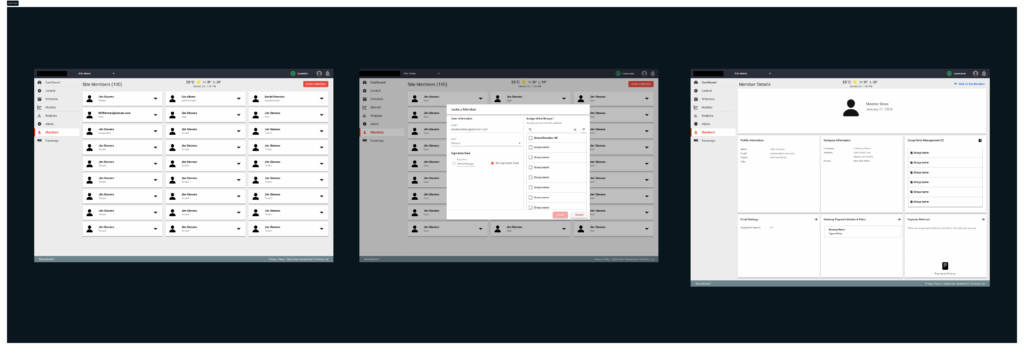
Initially starting off with doing some research into other competitors that had a similar feature and used our existing design system and development framework to make some initial wireframes wireframes and mockups. For the main function of assigning units, I had to use and modify some of the existing frameworks so as to not give any user a new flow they weren’t used to. With both the user information, permissions, and HVAC units selection for a tenant to be assigned to on one module, I wanted all the information to be identifiable and and one-stop approach when a manager or owner is inviting a tenant.
DESIGN
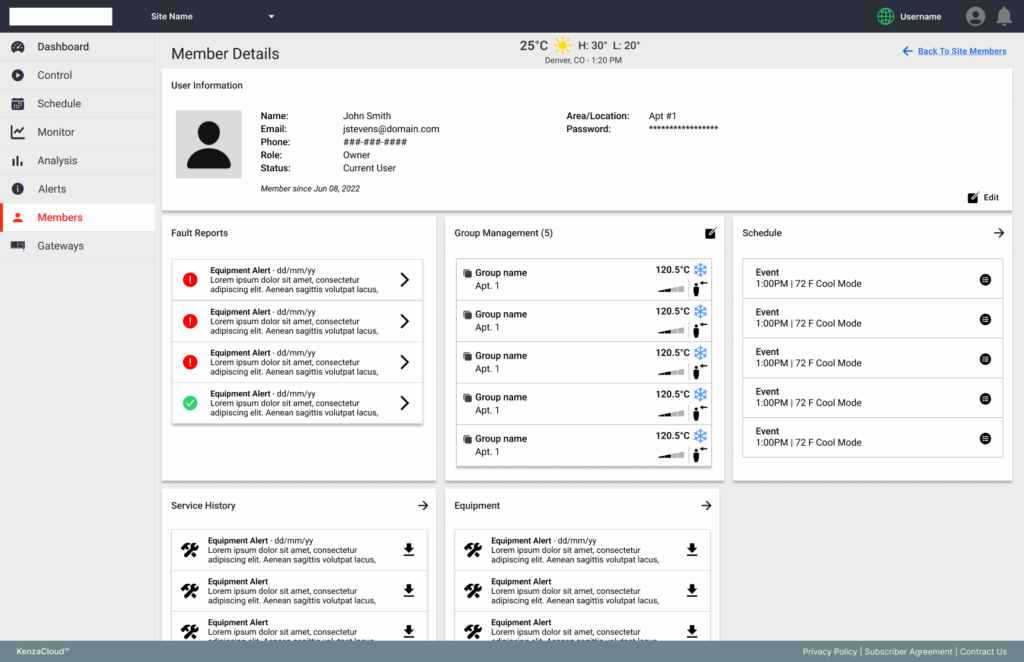
Worked with my managers and developers to refine the user stories more upon iterations of the design. We had dial down into a MVP version of the feature where HVAC units would be assigned to a tenant through the Owner and Mangers. From this point, I started to include more of the existing UI elements into the design after we began to make the user stories more solid and defined.
FEEDBACK AND TEST
Once the design had be reviewed and approved, the team got the design in front of our clients and other potential users to see if this flow and design would accommodate the business need here. The reaction was positive. As it as was built out from our developers, I helped out to help refine each build to be sure it matched the design. Once it was in a test build, we then got our users to participate in hands-on demonstration to get validation. It had met initial MVP expectations of the feature and was added to the next release of the application.
OUTCOME
What I learned on this project was how to better refine a feature on a MVP level. In talking with our users, I understood better how they would approach a function like this. It ultimately met the business needs, helping add clients to use the overall product while at the same time, leaving room for added enhancement post-release.